- The Neuron
- Posts
- 😺 Watch: How to manage thousands of computers with AI
😺 Watch: How to manage thousands of computers with AI
HP cut PC refreshes 28%. Here's how.

Matthew Robinson
June 24, 2026

Click the image above to go straight to YouTube
Welcome, humans.
So, your laptop (or your entire company’s laptops) may not actually be “too old.”
It may just be underpowered. Or misconfigured. Or missing a driver. Or maybe you have 152 tabs open in Microsoft Edge while Spotify quietly eats your RAM like a raccoon let into the pantry.
That’s the world HP is trying to solve with Workforce Experience Platform, or WXP: a fleet-management system that helps IT teams understand what’s actually happening across employee devices, printers, collaboration tools, and security posture before the help desk tickets start flying.
In our latest podcast episode, Larry Meadows, Head of Product Strategy and Evangelism for WXP, walked us through how HP is using AI to move IT from reactive ticket management to proactive prevention.
Click the image above to watch on YouTube
And the numbers are very much “send this to your CIO ASAP” coded:
HP used this approach internally to decide who actually needed a new PC, who only needed a memory upgrade, and who was simply suffering from the modern spiritual condition known as “too many browser tabs” (Hi, It’s me, I’m the problem, it’s me). Anyway, Larry says it helped HP decrease refreshes by about 28%.
Here's our favorite parts:
(19:58) The AI data center memory crunch: Larry explains why the buildout of AI data centers is creating a global memory squeeze that’s forcing IT teams to rethink device upgrades.
(20:45) Grant’s 152-tab diagnosis: Larry says Corey may need a new machine, while Grant may just have 152 Edge tabs open with Spotify running all day. Rude, accurate, actionable.
(17:17) The 50M-device data lake: WXP can compare software stability across a massive device dataset, then recommend which version of Office is crashing least often.
(17:38) Update these 6,000 devices: Instead of asking IT to guess, the AI can recommend a specific software version for thousands of machines based on real crash data.
(5:22) The 28% refresh cut: Larry explains how HP used telemetry to find who actually needed a new PC, who needed more memory, and who could wait.
(29:18) Fix it before the ticket exists: WXP workflows can trigger actions automatically, like enabling Chrome Memory Saver, instead of waiting for a user to complain.
(35:26) Ask your fleet for cost savings: Larry demos the idea of asking WXP, “What are cost optimization strategies for my fleet?” and getting a practical plan back.
(39:30) Three days of reporting, compressed: Larry explains how work that used to mean exporting device lists, warranty data, printer metrics, and Excel analysis can now start with a plain-English question.
Why watch this? Because if your company is trying to deploy more AI, cut IT costs, manage hybrid work, or avoid buying everyone the biggest-number laptop just because it sounds good, this episode shows what proactive IT can actually look like.
Watch and/or Listen now: YouTube | Spotify | Apple Podcasts
P.S. Jump to (20:45) for the most relatable enterprise IT diagnosis of the year: maybe the device is fine, and maybe the user is just living inside 152 browser tabs.
Keep scrolling for what WXP actually does, why AI data centers are suddenly a laptop-budget problem, and how HP is thinking about the next era of proactive IT.
Real quick: Want to see your AI-adjacent product or service show up right here, below these podcast promos? Click the button below to advertise to our 700K+ readers!

THIS EPISODE WAS BROUGHT TO YOU BY…
Are you hitting the limits of siloed AI? Just as humans once transformed society by sharing intent, knowledge, and innovation, AI faces a similar inflection point. To achieve distributed superintelligence, we must move beyond scaling up. We need to scale out, too.
Outshift by Cisco is building the Internet of Cognition: an open infrastructure enabling agents and humans to collaborate in real time.

HP wants your IT fleet to explain itself
The old IT model waits for something to break, then asks the employee to file a ticket, then asks a support person to dig through three systems to figure out what happened.
WXP flips that into a simple loop:
Collect telemetry: Agents on Windows, macOS, and Chromebooks send device performance data to the cloud.
Spot patterns: The system looks across crashes, memory usage, missing updates, security posture, meeting quality, and hardware issues.
Recommend action: AI suggests the fix, like enabling Chrome Memory Saver, updating drivers, or refreshing only the machines that actually need it.
Automate carefully: IT can create workflows with deployment rings, approvals, and stop conditions so the system acts without turning into a chaos goblin.
Tie it to cost: The fleet can show which machines are overused, underused, aging, out of warranty, or mismatched to the person’s actual work.
The best part is the device matching. Larry gave the example of an employee classified under engineering who received a giant workstation, even though his actual work was travel, PowerPoint, documents, and collaboration. WXP tries to match devices to behavior, not job title.
That matters because the AI boom is making hardware planning weirder. Companies are buying more compute for AI, memory prices are under pressure, and every “just give everyone 32GB” decision now has a real budget consequence.
🔑 The bottom line: AI for IT gets useful when it stops being a chatbot bolted onto a dashboard and starts answering questions the fleet already knows how to answer.

🎙️ In Case You Missed It…
Four recent interviews you’ll definitely want to check out (pick whatever looks interesting to you and dive in!):
1. Worried AI can’t actually see? Watch: The man fixing AI’s sight

TL;DW: Andrew Dai, co-founder and CEO of Elorian, explains why today’s AI can describe images but still struggles with visual reasoning. Think UI layouts, diagrams, engineering parts, maps, and physical relationships.
Why you should watch: If HP’s episode is about machines explaining themselves, this one is about giving AI better eyes so it can inspect the world more like we do.
YouTube: Watch Here
Spotify: Listen Here
Apple Podcasts: Listen Here
2. Worried the internet is getting taken over by bots? Watch: The Internet is Facing a Human Verification Crisis

TL;DW: Tiago Sada, Chief Product Officer at Tools for Humanity, explains why World ID may become a trust layer for proving someone is a real, unique human online without exposing their identity everywhere.
Why you should watch: AI agents, deepfakes, ticket bots, fake accounts, and identity fraud all point to the same problem: the web needs better proof that a real person is on the other side.
YouTube: Watch Here
Spotify: Listen Here
Apple Podcasts: Listen Here
3. Tracking the superintelligence race? Watch: AI Superintelligence Is Closer Than You Think

TL;DW: Mustafa Suleyman, CEO of Microsoft AI, joins Corey at Microsoft Build to talk through Microsoft’s model strategy, Humanist Superintelligence, and why the company is building more models in house.
Why you should watch: Mustafa talks about superintelligence through products, control, healthcare, agents, and human goals instead of turning the whole topic into a fog machine.
YouTube: Watch Here
Spotify: Listen Here
Apple Podcasts: Listen Here
4. Want to see agents turn into actual work? Watch: Inside Genspark

TL;DW: Wen Sang, co-founder and COO of Genspark, walks through how the company went from AI search startup to autonomous agent platform, including Workspace 4.0, Claw, and a custom agent built live.
Why you should watch: This is one of the clearest examples of the new “AI employee” pitch: software becomes the infrastructure, and the agent becomes the interface you actually manage.
YouTube: Watch Here
Spotify: Listen Here
Apple Podcasts: Listen Here
One more before you go:
Still confused by AI Skills vs. Projects vs. Gems vs. Custom GPTs vs. Agents? Good news: we made a whole beginner-friendly live guide for exactly that.
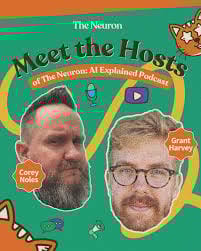
In AI Skills vs Agents vs GPTs: Which One Do I Use?, Grant and Corey break down the new AI assistant stack in plain English: Projects for organizing ongoing work, Custom GPTs / Gems for reusable assistants, Skills for repeatable workflows, and Agents for systems that can actually take actions for you.
The most useful rule from the stream: if you do something more than twice, make it a Skill. Start around 25:39 for the decision framework, 26:28 for Skills, 54:13 for Skills vs. Agents, and 1:25:13 for the full decision tree.
We also wrote up the companion guide with timestamps here: Our guide to AI Skills, Projects, Custom GPTs, Agents, Plugins, Connectors, Loops, and Codex workflows.
Last thing: And if you haven’t subscribed yet, please do! Click the image below to go to our channel and hit “subscribe” to get notified right when new videos go live.

We have a goal to hit 50K subscribers by the end of the year (if not 100K), and we’re less than 30K away! If you like learning about AI, and already watch some of our videos, do us a favor and click here to subscribe today.
Stay curious,
The Neuron Team
 | That’s all for today, for more AI treats, check out our website.
|

P.P.S: Love the newsletter, but don’t want to receive these podcast announcement emails? Don’t unsubscribe — adjust your preferences to opt out of them here instead.